Javascript Aler Box
Javascript Pop up Boxes
Till now we have used only one kind of output statement - document.write. Javascript has few more "interactive" output statements in the form of Pop up Boxes. There are three types of Pop up Boxes - Alert box, Confirm Box and Prompt Box. Let us take a look at the Alert Box.
Alert Box
A javascript alert box pops-up with a message and an 'OK' button. It displays an alert box with a string passed to it. For example: alert() will display an empty dialog box with just the 'OK' button. The alert("Hello world") will display a dialog box with the message, 'Hello world' and an 'OK' button.
Let us look at the example that simply displays the "Hello World" pop up box when loaded.
|
You can try this example online at the link below, which will open in a new window.
Javascript Alert Box Example
Alert Box - Another Example - Day of week
Here is another example which will simply pop up an alert box which will display the day of week.
|
If you run the above script it should display the day of the week in a pop up box.
You can try this example online at the link below, which will open in a new window.
Javascript Alert Box - Day of week Example
Adding a new line in Alert Box
To add a new line in the alert box you can use \n. As an example
|
Will produce an alert box like
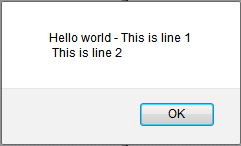
You could write the alert line more conviniently as
|
In the next page we will take a look at javascript confirm box.